Typesetting Tufte Handout in Typst to HTML
Jialin Lu <luxxxlucy@gmail.com>
2025-11-11
Update (January 28, 2026): This project is superseded by dual-tufte-typst—write in Typst once, output to both PDF and HTML. One source, two formats. Give it a try!
No one dislikes Edward Tufte and his handout, and for many years I have believed (and still do) that the Tufte handout is the most comfortable visual layout for writing highly efficient documents. It just works.
Typst is a modern typesetting system, to which I have contributed some minor features including line decorations and numbering and some others. It is, …, good at what it does. The main advantage of Typst over LaTeX is that it is modern and quick—thanks to a good cache mechanism and incremental compilation.Martin Haug’s master thesis: Fast Typesetting with Incremental Compilation. You should read it; it is an interesting read
I’ve always wanted to write in Typst and export decent HTML, as now everything should be good on the web. Previously, I would either write directly in HTML with Tufte CSS (it is not as bad as it might sound), or use R Markdown to get HTML typeset in a Tufte handout style. But I do not particularly like this workflow. Sometimes I would instead simply embed PDFs in a site page.
Luckily, The source code is available at https://github.com/luxxxlucy/web-tufte-typst. Typst 0.13 now provides experimental HTML export support. It is not feature complete out of the box, but it is usable. So I semi-vibe coded a simple proof of concept that demonstrates it is in fact possible to write in Typst and output to HTML rather decently. I think I will it mainly for writing my blogs in the future.
I also included a reproduction of the Tufte CSS documentation. See examples/tufte-css-reproduce/tufte-css-reproduce.typ for the complete reproduction. The output should be almost identical to official Tufte-CSS https://edwardtufte.github.io/tufte-css/ anyway it is just some simple mark up and conversion.
Major notes:
-
CSS injection with sed. Currently, Typst does not support modifying or adding CSS stylesheet references in the generated HTML, so it must be done manually. You must use the
compile-html.shscript to generate HTML output. The script compiles your Typst document to HTML and then automatically injects the Tufte CSS stylesheet link. -
Section structure. So far I have not found a good way to wrap paragraphs of a section inside
<section></section>tags, and so you will notice that the margin space on top and after a section heading is often not enough. -
box function is quite useful to enforce inline elements; To be honest, have not really uses this before but found it quite handy in keeping to the css class markups.
-
the toggle button is not quite working. So this nice feature that works quite well in mobile device is missing here.
Starting from below I will show with example on the basic primitives and their usage.
Features
Start Document
To begin, import the template and configure your document with title, author, and date:
#import "lib/web-tufte-typst.typ": *

#show: web-tufte-typst.with(
  title: [Your Document Title],
  author: (name: "Your Name", email: "your.email@example.com"),
  date: datetime.today().display(),
)
The author parameter accepts a dictionary with name and optional email. The email will be displayed as a clickable mailto link in the subtitle. The date can use Typst’s datetime.today() function for automatic date generation, or you can provide a custom date string.
Sidenotes
Sidenotes provide numbered references in the margin. They appear in the margin on large screens and can be toggled on small screens.
#sidenote[This is a sidenote. It appears in the margin on large screens and can be toggled on small screens.]Example sidenote appearing in margin.This is a sidenote. It appears in the margin on large screens and can be toggled on small screens.
Example with multiple numbered sidenotes.You can have multiple sidenotes throughout your document. Each gets automatically numbered.
Margin Notes
Margin notes are like sidenotes but without numbers. They’re useful for asides that don’t need explicit reference.
#marginnote[This is a margin note. Notice there's no number.]Example margin note without number:This is a margin note. Notice there’s no number.
Figures
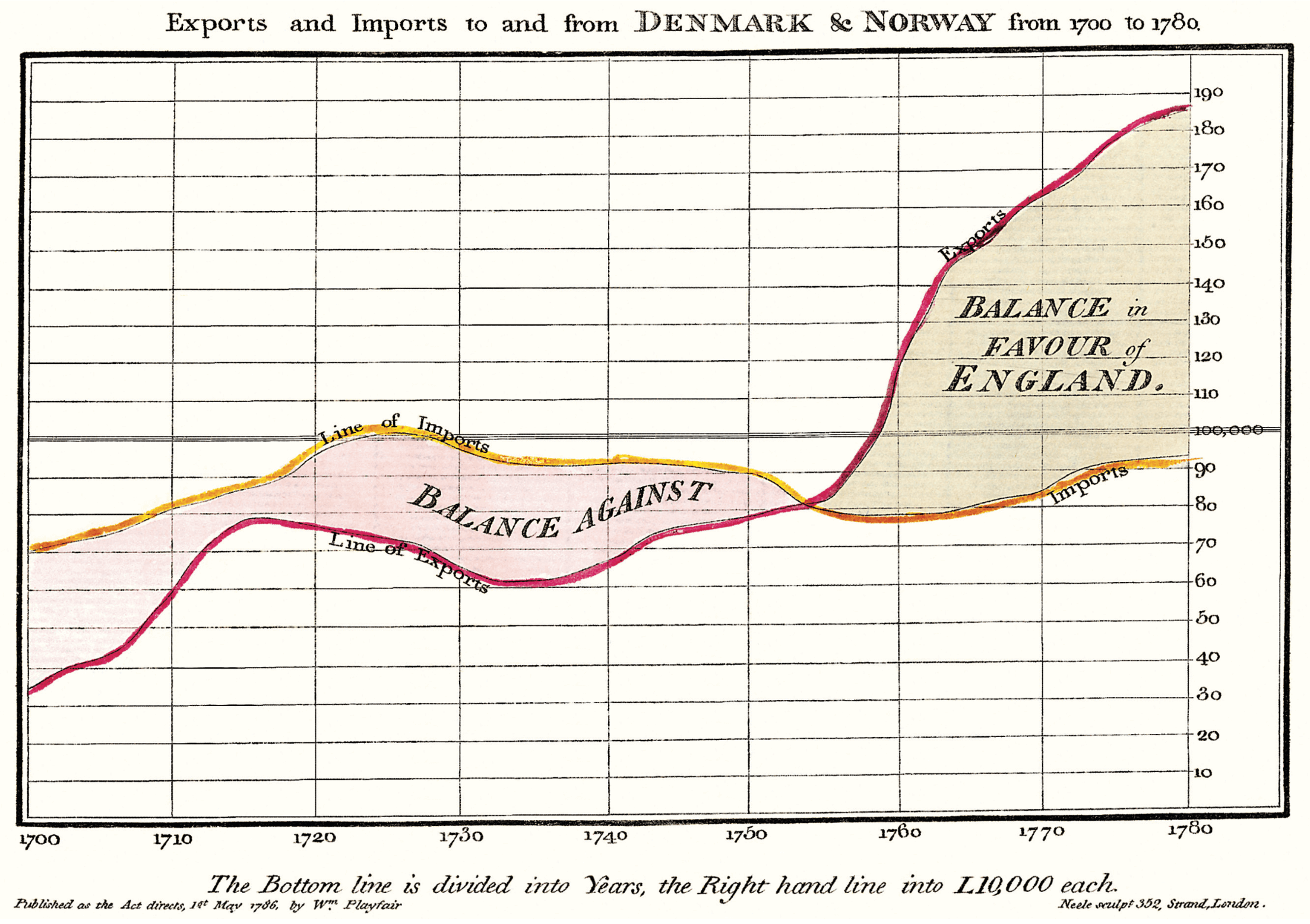
Tufte emphasizes tight integration of graphics with text. Use tufte-figure() for main column figures:
#tufte-figure(
  "img/exports-imports.png",
  caption: [From Edward Tufte, _Visual Display of Quantitative Information_, page 92.],
  caption-as-marginnote: true
)
Example with caption as margin note:
From Edward Tufte, Visual Display of Quantitative Information, page 92.
For margin figures:
#marginfigure(
  "img/rhino.png",
  caption: [Image of a Rhinoceros — F.J. Cole, "The History of Albrecht Dürer's Rhinoceros in Zoological Literature."]
)
Example margin figure:
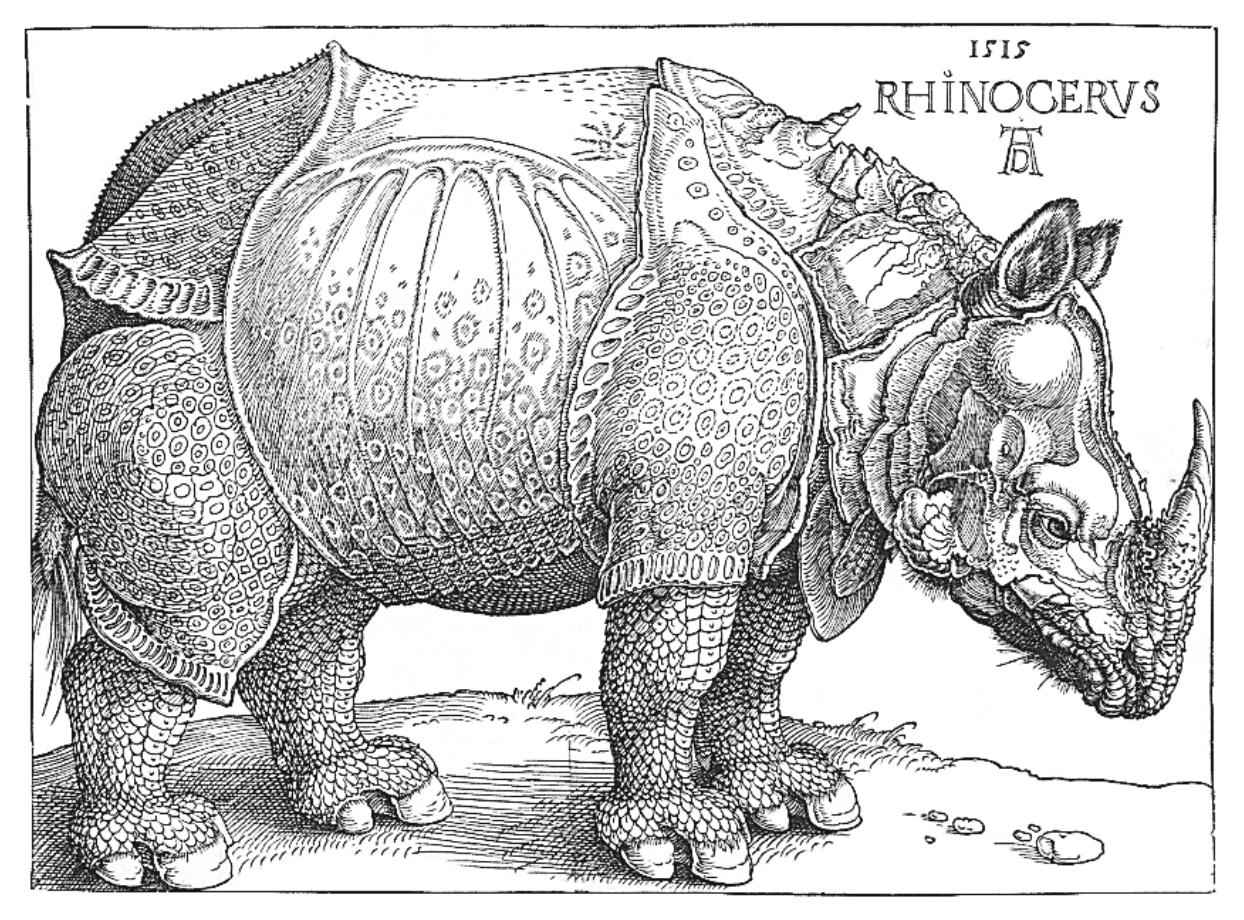 Image of a Rhinoceros — F.J. Cole, “The History of Albrecht Dürer’s Rhinoceros in Zoological Literature.”
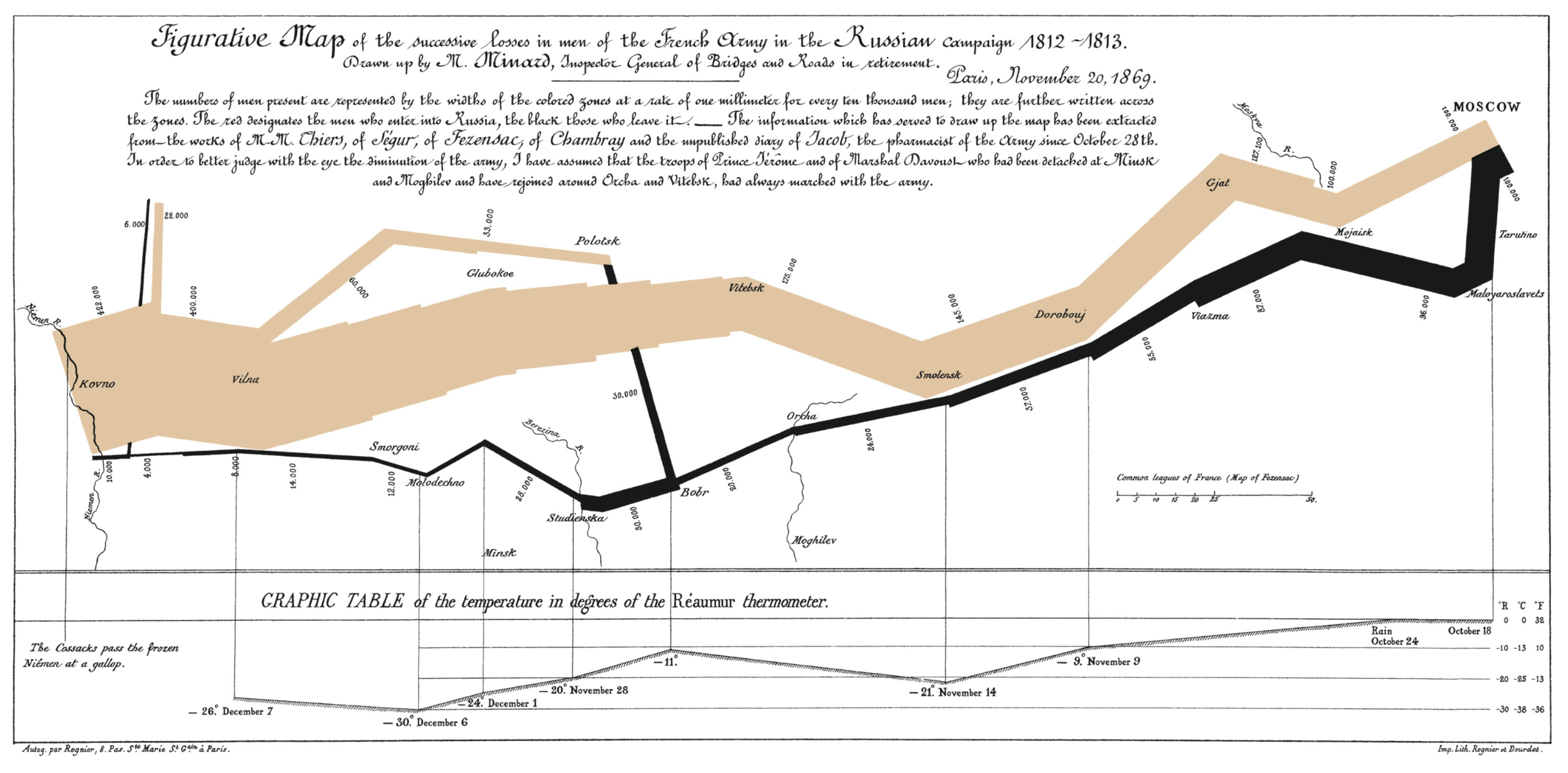
For full-width figures:
#tufte-fullwidth-figure(
  "img/napoleons-march.png",
  caption: [Figurative map of the successive losses of the French Army in the Russian campaign, 1812-1813]
)
Example full-width figure:
Epigraphs
Epigraphs are opening quotes, perfect for section introductions:
#epigraph(
  [Your quote text],
  source: [Source attribution]
)
Example single epigraph:
The English language . . . becomes ugly and inaccurate because our thoughts are foolish, but the slovenliness of our language makes it easier for us to have foolish thoughts.
For multiple quotes:
#epigraphs((
  (content: [For a successful technology, reality must take precedence over public relations, for Nature cannot be fooled.], source: [Richard P. Feynman, "What Do You Care What Other People Think?"]),
  (content: [I do not paint things, I paint only the differences between things.], source: [Henri Matisse, _Henri Matisse Dessins: thèmes et variations_ (Paris, 1943), 37])
))
Example multiple epigraphs:
For a successful technology, reality must take precedence over public relations, for Nature cannot be fooled.
I do not paint things, I paint only the differences between things.
Typography
Use newthought to start a section with small caps:
#newthought[This paragraph starts with small caps.]Example newthought with small caps:
This paragraph starts with small caps. The first few words are styled to draw attention.
Use sans for sans-serif text:
#sans[This text uses sans-serif styling.]Example sans-serif paragraph:
This text uses sans-serif styling.
Usage
Set the output format:
#show: web-tufte-typst.with(
  title: [Your Title],
  authors: ((name: "Author Name"),),
  // output-format defaults to "html", set to "pdf" for PDF output
)
Compile to HTML (requires the script to inject CSS):
./compile-html.sh examples/introduction/introduction.typThe compile-html.sh script is necessary because it:
- Compiles your Typst document to HTML using
typst compile --format html - Automatically injects the Tufte CSS link and viewport meta tag into the HTML
<head>
Without this script, the HTML will be generated but won’t have the Tufte CSS styling applied.
Learn More
See examples/tufte-css-reproduce/tufte-css-reproduce.typ for a complete reproduction of the Tufte CSS documentation.